BridgeVFX
Create visual creative briefs from ambiguous client notes — extracting clear action points and generating image variants for review, so nothing gets lost in translation between client and crew.
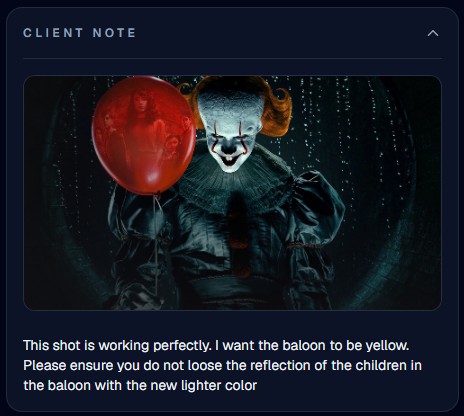
The Problem & Bottleneck
Client feedback is notoriously vague, “warm it up”, and turning that into something an artist can action takes time, and creative intent can quietly get lost in translation.
As supervisors, we own creative cohesion, so every note has to pass through us before it reaches an artist. That's the right call creatively, but with dozens of notes landing daily, it's often the slowest step in the pipeline, and notes pile up while supervisors are pulled in a dozen directions at once.
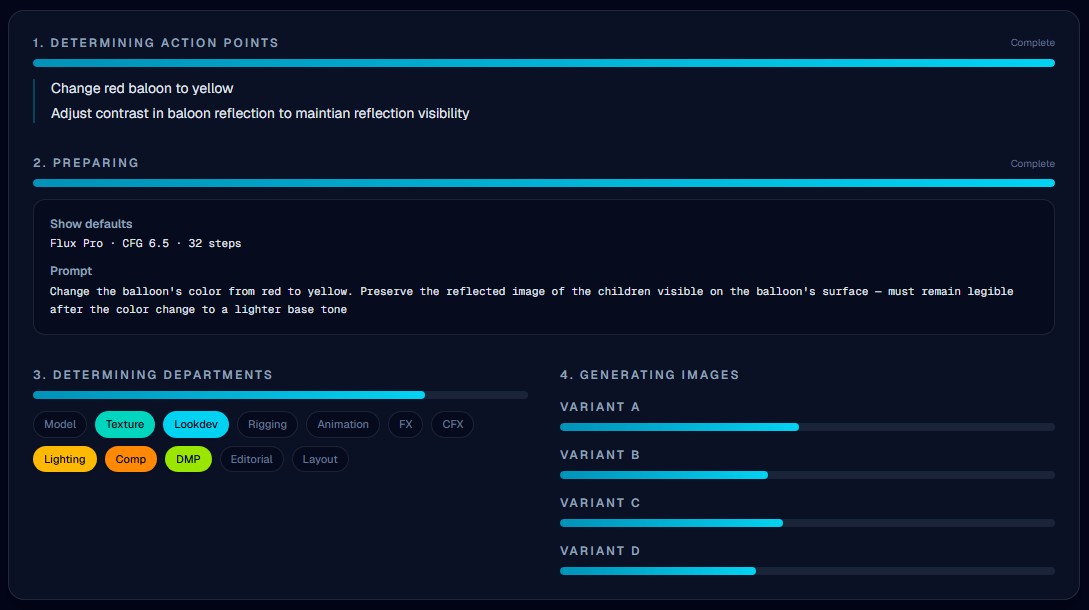
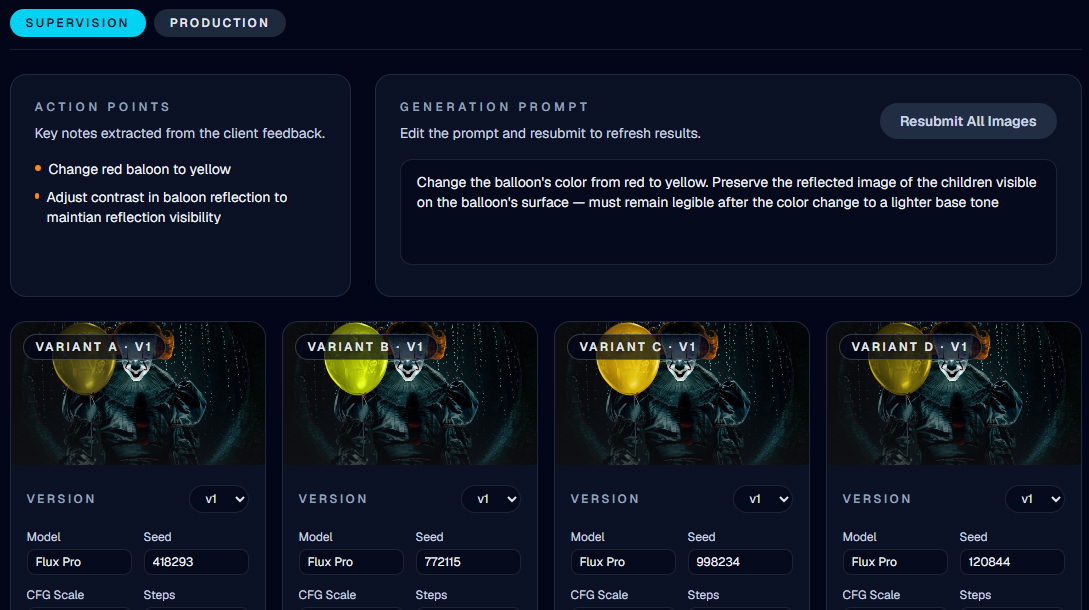
The Solution - BridgeVFX
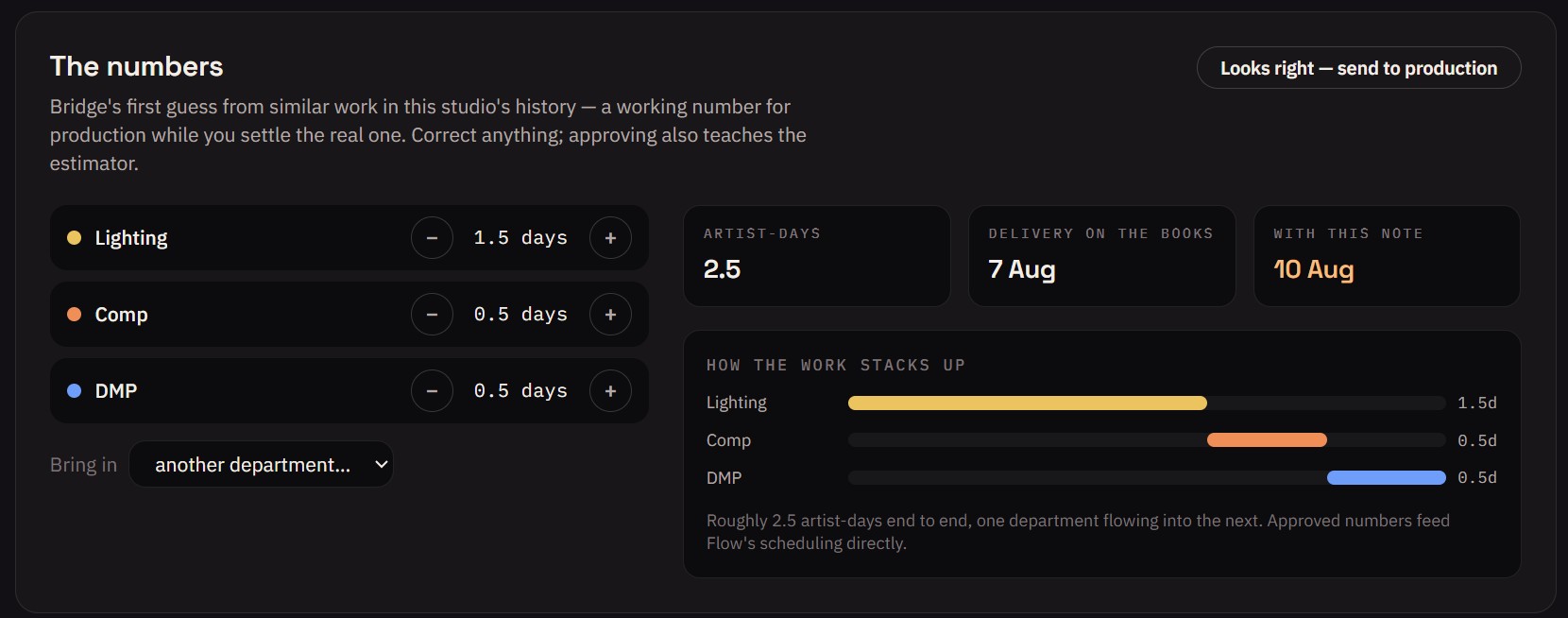
BridgeVFX reads every unactioned note in Flow, extracts the intent, and generates a visual brief on the actual frame, so supervisors can confirm direction in seconds, not minutes, and notes stop piling up. It also surfaces a department time estimate immediately, giving production a working number while they wait on the supervisor's own.
How it works
Built on: Grounding DINO · SAM2 · FLUX.1-Fill-dev · Claude API · ShotGrid/Flow API
BridgeVFX connects to Flow via API and pulls every unactioned note, filterable by custom Flow flags.
Splits the note into discrete action points, tagging each with scope, target, and confidence, and determines whether the edit applies to a specific frame, a frame range, or any representative frame.
BridgeVFX resolves the file path for the shot and pulls in the frame(s) identified in the previous step.
Global grades bypass masking entirely; localized edits are flagged for a Grounding DINO pass to identify the target region.
For localized edits, Grounding DINO locates the relevant object(s) or region(s) in the frame and returns a bounding box.
The bounding box is converted into a pixel-precise mask, defining exactly where the edit will apply.
Action points, the show's style prompt, and (for local edits) the masked region are combined into a structured inpaint prompt.
If the note is to be applied across multiple frames, BridgeVFX utilizes ControlNet to ensure consistent results across all frames.
Your choice of diffusion model renders the edit inside the mask; the rest of the frame stays untouched.
Trained on your studio's own historical data, BridgeVFX identifies the departments involved and estimates the time required for each.
Once approved by a supervisor, the generated frame and time estimate are published back to the note. The image can then be used as a visual brief, and the time data can be used directly in Flow's integrated generative scheduling tools.